Signs you need this repair
- A cracked or shattered screen
- Black patches, ink blots or bleeding colour
- A very dim picture, which can mean a backlight fault
- Flickering when you move the lid, often the display cable
What we do
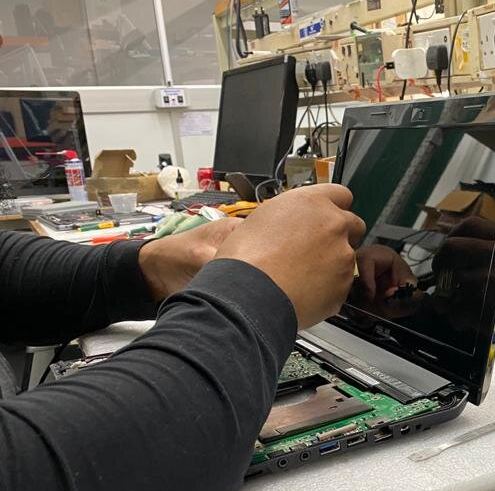
We check whether the fault is the panel, the backlight or the cable, so you only pay for the part that has failed.
The new panel is matched to your model's resolution, connector and finish, matte or gloss.
How long it takes. Same day when the panel is in stock. If it has to be ordered, we tell you when to expect it.
Is it the screen, or something else?
Before replacing a screen we make sure the screen is really the problem. A quick test you can do yourself: plug the laptop into a TV or monitor. If the picture there is perfect, the fault is in the laptop’s own screen, its backlight or the display cable. If the external screen is blank or shows the same lines, the problem is more likely the graphics chip or the motherboard, and a new panel wouldn’t fix it.
- Lines or flicker that change when you move the lid: usually the display cable, sometimes worn by a stiff or broken hinge.
- Very dark picture you can just see with a torch: a backlight fault, often cheaper than a whole new panel.
- Ink-blot patches or spreading cracks: the panel itself is damaged and needs replacing.
- Touchscreen and 2-in-1 laptops: the glass and display are usually bonded together, so the whole assembly is replaced, which costs more than a standard panel.
Before you bring it in
- Back up anything important. With an external monitor plugged in, most laptops with a broken screen can still be used to copy files.
- Note the model number from the label underneath the laptop, so we can check the right panel is in stock.
- Stop opening and closing the lid if the screen is cracked. Pressure on a cracked panel can damage the cable and the hinges.
Is a new screen worth it?
For most laptops a screen replacement is one of the most cost-effective repairs, because everything else in the machine is still working. It is worth a second thought on an old, slow laptop that also needs a new battery or keyboard; we’ll give you the price first so you can compare it with replacing the laptop.
Warranty
This repair is covered by our 90-day warranty on parts and labour. If the same fault comes back, bring the laptop in and we’ll put it right.
Laptop screen replacement questions
How long does a laptop screen replacement take?
Same day when the panel is in stock. If it has to be ordered, we tell you when to expect it.
How do I know if it’s the screen or the graphics card?
Connect the laptop to a TV or monitor. A good picture there means the laptop’s screen, backlight or cable is at fault; no picture points to the graphics chip or motherboard.
Will I lose my files when the screen is replaced?
No. A screen replacement doesn’t touch the hard drive or SSD, but it’s always sensible to have a backup.
Can you match a matte or gloss screen?
Yes. The new panel is matched to your model’s resolution, connector and finish, matte or gloss.
Is the screen replacement guaranteed?
Yes. It is covered by our 90-day warranty on parts and labour.
Brands
We carry out this repair on laptops from Apple, Acer, Alienware, Asus, Dell, HP, Sony, Toshiba, and most other makers.